
Run and adjudicate a screening
Screen a name in the Compliance Hub, read the watch list matches, and make the compliance decision. Uses the real test name "Riad Salameh".
For compliance officersStep 1. Search a name
- Open Compliance Hub.
- Type Riad Salameh in the Search box and press Enter to make a pill.
- Press Search at the top right.
Step 2. Read the matches
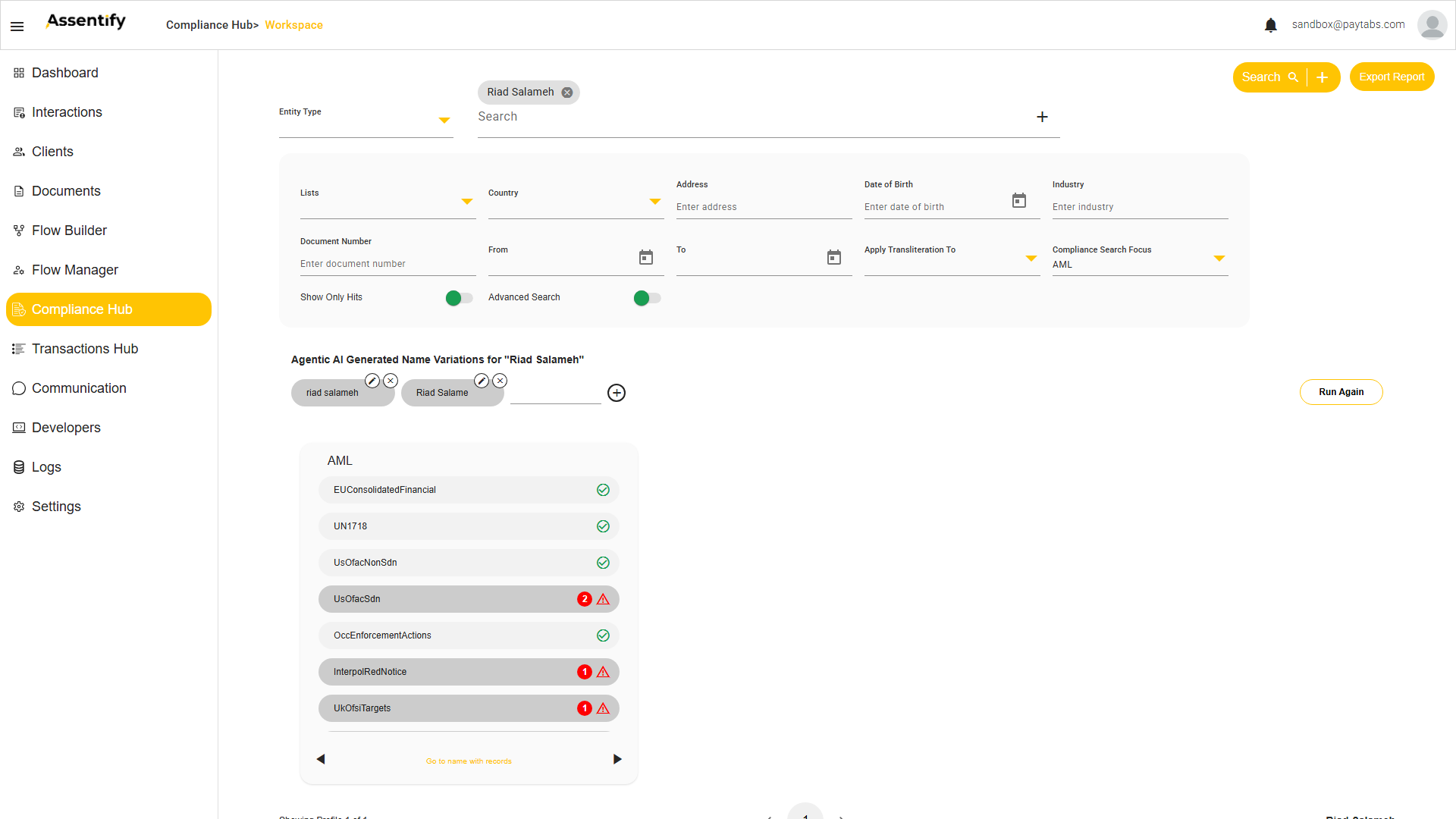
For this name you see real matches, for example UsOfacSdn 2,
InterpolRedNotice 1, and UkOfsiTargets 1. Above the matrix, the
Agentic AI Generated Name Variations show aliases the engine also checked.
Those variations exist so the hub catches more than one spelling of a name. The engine generates realistic aliases, misspellings, and transliterations, so it catches name variations a plain search would miss. Each variation can be edited, removed, or added to. Press Run Again to re-screen with the adjusted set. An admin tunes how many variations are generated with Perform Agentic AI Variations. An admin also enables Apply Transliteration for Arabic and Latin matching in Settings > AML Management.
Step 3. Open the matched record
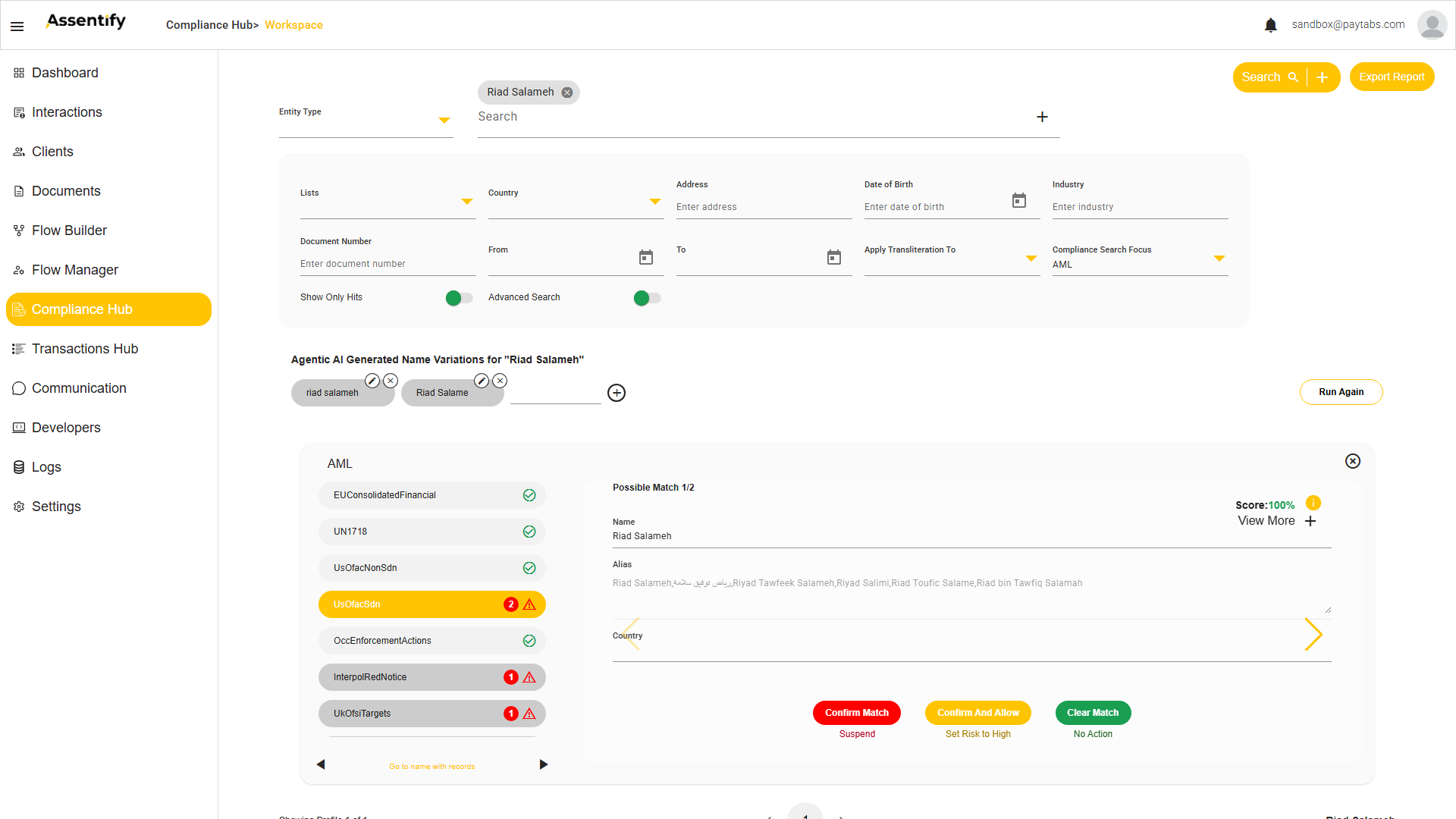
Click a list with matches (for example UsOfacSdn). The record shows a Score (up to 100%), the full alias list including Arabic forms, and the country. Press View More + to open the full record.
One name can match several profiles. The detail pager reads Possible Match 1/2 (or N of N), and the watch list matrix on the left has its own pager plus a Go to name with records shortcut. Page through the matches with the arrows.
Step 4. Decide
| If the match is... | Choose | Result |
|---|---|---|
| A true sanctioned party | Confirm Match | Suspends the client. |
| Real, but you accept with monitoring | Confirm And Allow | Allows and sets risk to High. |
| A different person (false positive) | Clear Match | Records the false positive as No Action. |
Each decision updates the client record. Confirm Match suspends the client, Confirm And Allow sets the client's risk to High, and Clear Match records the false positive as No Action. The decision is logged with your user name. See the Compliance guide for how these fit the wider review workflow.
← Back to the Compliance guide · Next demo: set up the Risk Based Approach →